Best Dash Cams Guide
The Guide · Dash Cams for US Drivers

Two dozen of these dash cams say 4K. Five name the sensor behind it.

Resolution is the number every dash cam listing leads with, and the budget front camera on this page prints 4K on its box exactly as Garmin’s premium X310 does. But a pixel count only describes how finely the frame is divided. What fills those pixels at night — when a license plate is a small, bright rectangle moving between two sets of headlights — is the image sensor, the aperture, the HDR processing and how hard the video is compressed. What really separates dash cams is how many directions they record, what sits behind each lens, how parking mode gets its power, and how they cope with a hot car. We compared published specifications and current Amazon prices for 39 dash-cam listings sold in the US.

By Ilane Tall6 picks · 39 dash cams comparedResearch-based — no testing lab, no invented scores

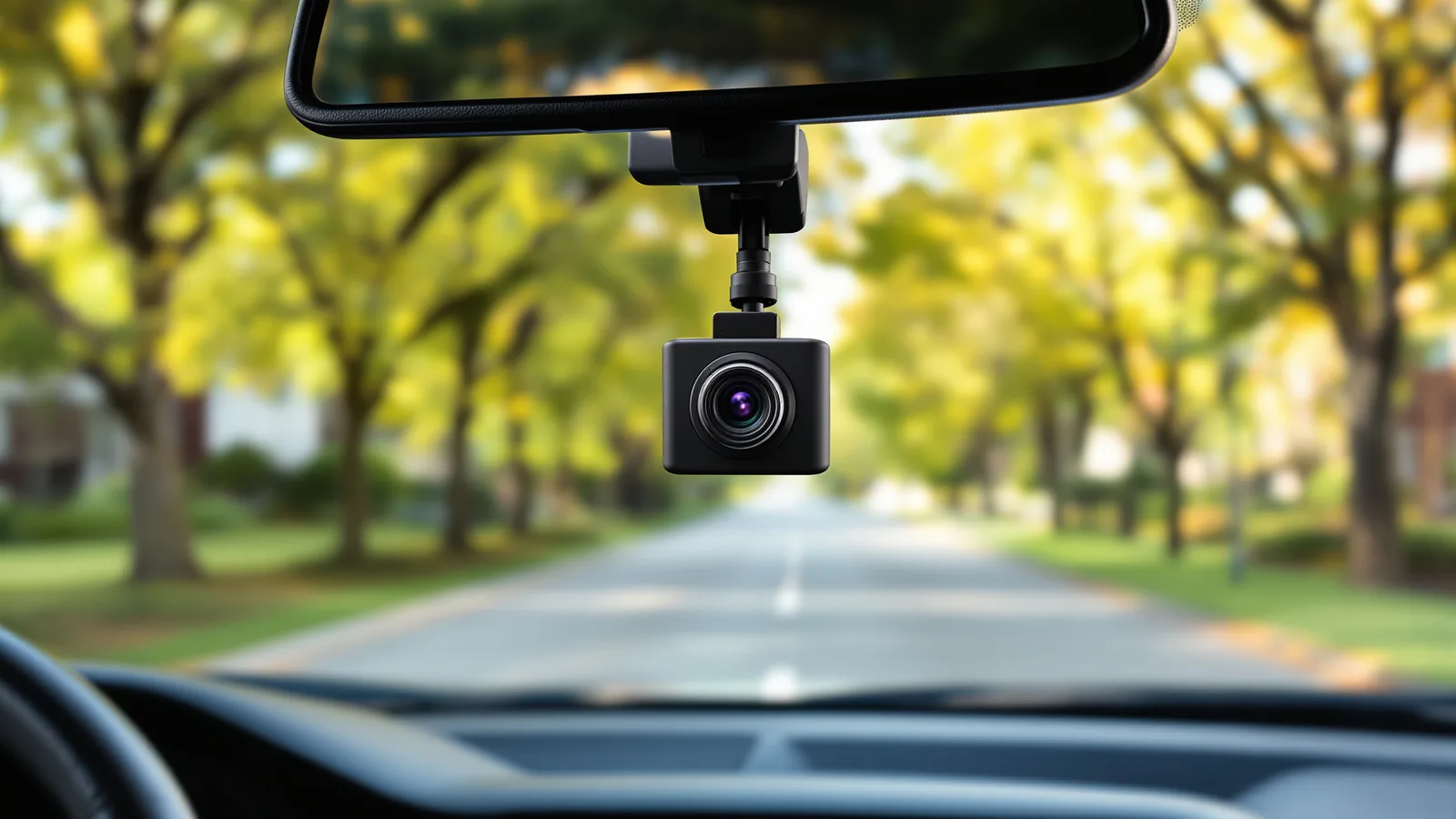
Compact black dash cam mounted high on a car windshield behind the rearview mirror, with a tree-lined suburban street softly blurred through the glass in morning light
The one to buy

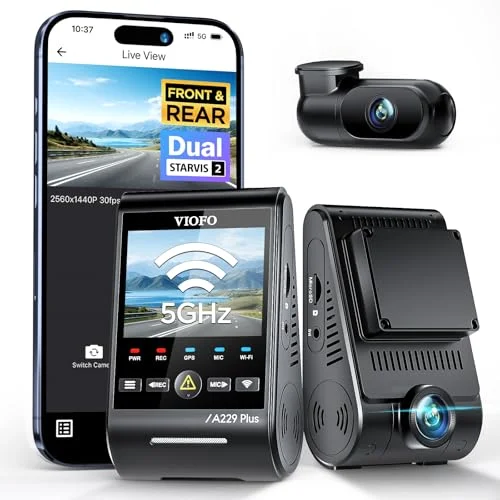
VIOFO A229 Plus Front and Rear

The A229 Plus is not a 4K camera, and that is the point. VIOFO bills it as the first front-and-rear dash cam with two Sony STARVIS 2 IMX675 sensors, and it records 1440p at both ends with HDR on both channels. Many kits we compared pair a decent front camera with a 1080p rear one whose sensor goes unnamed; here the rear gets the same hardware as the front, which matters because rear-end collisions are among the most common crashes on US roads.

VIOFO claims 2.5 times the light sensitivity and 2.5 times the dynamic range of the original STARVIS, the two properties that decide how much of a plate survives after dark. Add a built-in supercapacitor instead of a lithium battery, GPS, 5GHz Wi-Fi, voice control and 24-hour parking modes, and nothing on the spec sheet is vague.

The honest caveat: 1440p has fewer pixels than 4K, so in good daylight a well-made 4K front camera can resolve more distant detail — the REDTIGER and Vantrue below are the alternatives if that matters most. VIOFO notes that the front camera’s 60 frames per second is unavailable while HDR is on. And parking mode needs power with the engine off; the listing does not say a hardwire kit is included, so plan for one.

1440p front + 1440p rear·Two STARVIS 2 IMX675 sensors·HDR on both channels·Supercapacitor, GPS, 5GHz Wi-Fi
VIOFO A229 Plus front and rear dash cam with dual STARVIS 2 sensors
Price
$159.99
Check price on Amazon →

Prices change. We refresh them, but Amazon is the authority.

Before you buy

Four things decide this purchase. The 4K badge is not one of them.

How many directions it records

A front-only camera covers what is ahead, and for many commuters that is enough. A rear camera adds the rear-end collision, and the driver who later claims you reversed into them. A cabin-facing lens is for rideshare and delivery drivers: the Vantrue below adds one, with infrared night vision. Four-channel kits such as the IIWEY N6 add both sides, for side-swipes and parking-lot scrapes. Every extra channel is another cable to route and more footage on the same memory card, so buy the views you will actually use.

The sensor and HDR, not the resolution

Resolution divides the frame; the sensor fills it. At night a plate is a small reflective rectangle surrounded by glare, and a weak sensor without HDR turns it into a white smear at any pixel count. Look for a named sensor — Sony’s STARVIS line appears on eight of the listings we compared — plus HDR or WDR and a wide aperture such as f/1.5. Lens angle matters too: a 170-degree lens spreads the same pixels over more road than a 140-degree one, so each plate gets fewer of them.

Parking mode is a wiring question

Most listings promise 24-hour parking mode; the fine print says what it takes. REDTIGER says the F7NP needs a hardwire kit, and VIOFO and IIWEY say the kits for the A229 Pro and the N6 are not in the box. With the engine off, many cars cut power to the accessory socket, so the usual answer is a hardwire kit to the fuse box or a dash cam battery pack. Buffered modes, as on the A229 Pro and the Vantrue, keep the seconds before an impact too.

Where it mounts, and what your state allows

Mounting and audio are both regulated, and the rules vary by state. Many states restrict objects that block the driver’s view through the windshield, and some, California among them, define small permitted zones near the top center or the lower corners of the glass. Garmin’s own listings warn that some jurisdictions regulate or prohibit dash cam use. Several states also require everyone in a private conversation to consent to recording, which matters to rideshare drivers with a cabin camera. A small camera behind the mirror is the safest default. This is general information, not legal advice.
Side by side

The six, compared

Dash camBest forChannelsResolutionSensor (as listed)Parking modePriceGet it
VIOFO A229 Plus Most drivers Front + rear 1440p + 1440p 2× STARVIS 2 IMX675 24h modes; kit not stated $159.99 Get it
REDTIGER F7NP A 4K front camera Front + rear 4K + 1080p STARVIS 2 (front) 24h; hardwire kit needed $109.99 Get it
Vantrue N4 Pro S Rideshare drivers Front, cabin, rear 4K + 1080p + 2.5K 3× STARVIS 2 24/7 buffered $279.99 Get it
IIWEY N6 Side-swipes, full view Front, rear, both sides 1440p × 4 STARVIS (model not listed) Up to ~48h time-lapse; kit extra $104.45 Get it
Garmin Mini 3 A hidden, simple setup Front only 1080p Not listed Not listed $99.99 Get it
70mai M310 Plus A first dash cam Front only 4K Not listed Listed; power not described $39.89 Get it
The six

Our picks, and who each one is for

01Best overall

VIOFO A229 Plus Front and Rear Dash Cam

Best for most drivers

1440p + 1440p·Dual STARVIS 2·Dual-channel HDR·Supercapacitor

Both lenses sit on Sony STARVIS 2 IMX675 sensors and record at 1440p, and VIOFO applies HDR to front and rear alike, so the rear camera is not an afterthought. The front channel can run at up to 60 frames per second when HDR is off. The listing also names a built-in supercapacitor, GPS, 5GHz Wi-Fi, voice control and 24-hour parking modes. What it does not offer is 4K, a cabin camera or any kind of LTE connection, and its parking modes will want a hardwire kit that the listing does not say is included.

The rare front-and-rear kit where the rear camera gets the same sensor as the front. For most cars, this is the one to mount.

VIOFO A229 Plus front and rear dash cam
Price
$159.99
Check price →
02Best 4K value

REDTIGER F7NP 4K Front and Rear Dash Cam

Best for a 4K front camera with a named sensor

4K + 1080p·STARVIS 2 front·170° front, 140° rear·128GB card in this bundle

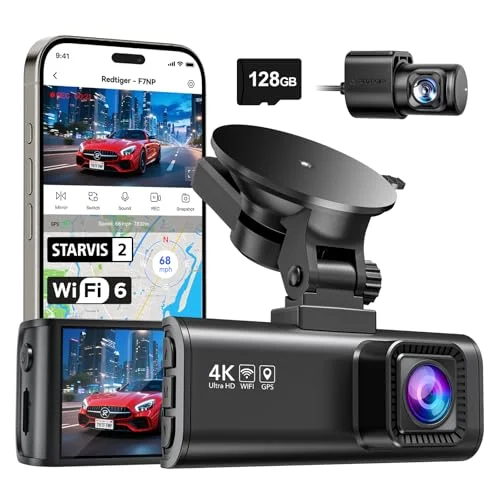
Of the twenty-four listings we compared that print 4K, the F7NP is one of only five that also name the sensor, and it does so in the mid-range tier. The front camera pairs STARVIS 2 with an f/1.5 aperture, a six-layer lens, WDR and HDR; the rear records 1080p through a 140-degree lens. Wi-Fi runs on 5.8GHz at up to 20MB/s by REDTIGER’s figure, and the app shows GPS route, speed and location. Two caveats come from the listing itself: the rear sensor is not named, and parking mode needs a hardwire kit, which REDTIGER states plainly in the title.

The 4K camera to buy if you want the resolution and refuse to take the sensor on trust.

REDTIGER F7NP 4K front and rear dash cam
Price
$109.99
Check price →
03Best for rideshare

Vantrue N4 Pro S 3-Channel Dash Cam

Best for rideshare and delivery drivers

4K front, 1080p cabin, 2.5K rear·Triple STARVIS 2·Buffered 24/7 parking·Cards up to 1TB

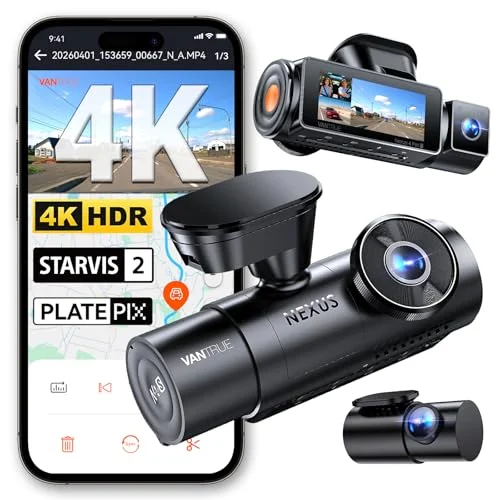
Vantrue’s flagship records three directions at once, each on a STARVIS 2 sensor: 4K ahead, 1080p in the cabin, and 2.5K behind through a rear camera that rotates a full 360 degrees to watch traffic or the trunk. Infrared night vision, GPS, Wi-Fi and buffered parking are listed, and it takes cards up to 1TB, which three channels will need. Vantrue is candid about limits: its night plate claim stops at 31 mph on lit streets, and it says front-and-rear-only recording cuts heat by 30 percent. It sits in the premium tier, with the most wiring of any pick.

If strangers ride in your back seat for a living, this is the camera that records all of it, and it is honest about where its limits are.

Vantrue N4 Pro S three-channel dash cam
Price
$279.99
Check price →
04Best 360° coverage

IIWEY N6 4-Channel 360° Dash Cam

Best for full coverage, including both sides

4 channels at 1440p·8 IR lights·5.8GHz Wi-Fi 6, GPS·128GB card included

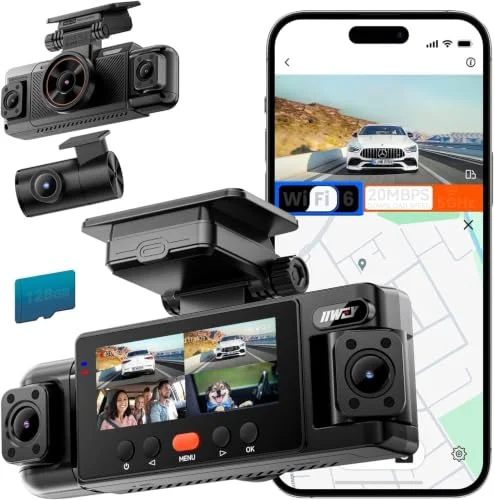
Several four-channel kits here pair a 4K front with three 1080p lenses; IIWEY records 1440p on all four — front, rear and both sides — with 170-degree lenses front and rear, adjustable 150-degree side lenses and eight infrared lights. That suits side-swipes and parking-lot scrapes. The parking options are specific: time-lapse at 1, 3 or 5 frames per second for up to about 48 hours, or impact detection that locks a 10-second clip. Both need IIWEY’s hardwire kit, sold separately, and with no built-in battery the camera records only while powered. Four streams also fill a memory card quickly.

For drivers whose worry is the side of the car, not just the front and back. Plan the wiring before you order.

IIWEY N6 four-channel 360 degree dash cam
Price
$104.45
Check price →
05Most discreet

Garmin Dash Cam Mini 3

Best for a small, hidden, front-only setup

1080p·140° lens·Built-in polarizer·Voice control, no screen

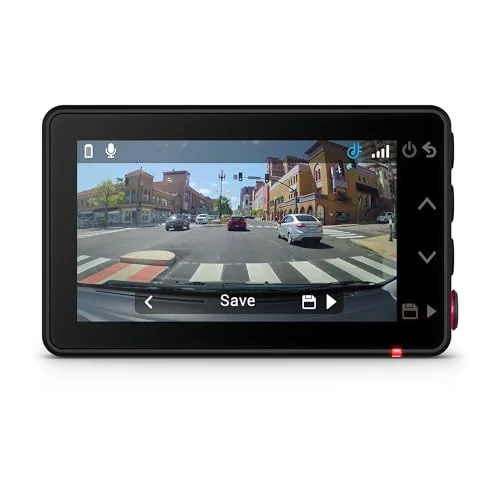
Garmin calls the Mini 3 key-sized, and the point of it is that it disappears behind the mirror. It records 1080p through a 140-degree lens, saves incident clips with the date and time automatically, takes voice commands, and is the only pick with a polarizing lens built in, which Garmin says cuts windshield glare. The limits are real: there is no screen and no rear camera, and a second listing for the same camera states that the Mini 3 has no GPS. At 1080p it captures the least detail of any pick here, which is the trade for its size.

The camera for people who want a record of the road and no gadget on display. Accept 1080p as the trade.

Garmin Dash Cam Mini 3 key-sized dash cam
Price
$99.99
Check price →
06Best budget

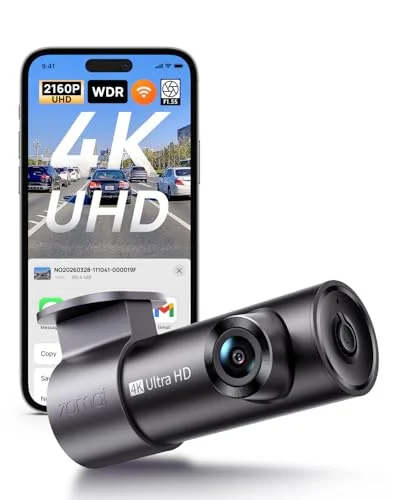
70mai M310 Plus 4K Front Dash Cam

Best for a first dash cam

4K, front only·f/1.55 aperture·140° lens·Pre-impact clip locking

The budget pick does one job well enough to recommend: it records the road ahead in 4K through a 140-degree lens with an f/1.55 aperture, WDR and 3D noise reduction. The feature worth knowing about is in the emergency recording: when the G-sensor detects an impact, 70mai says the camera locks one to three minutes of footage from before it, so the clip shows how the incident began. Wi-Fi with an app, voice control and a parking mode are listed too. Missing: a named sensor, a rear camera, and any detail on GPS or on how parking mode is powered.

A sensible way to find out how much you want a dash cam. If you end up wanting a rear view, you will know what to upgrade to.

70mai M310 Plus 4K front dash cam
Price
$39.89
Check price →
Our method

How we picked — and what we can’t tell you

What we did

Specs, prices and manufacturer data

We compared published specifications and current Amazon prices for 39 dash-cam listings — 37 distinct models once a renewed unit and a second listing of the same Garmin are folded together — and kept the cameras whose makers publish something checkable: a named sensor, resolution per channel, lens angles, aperture, how parking mode is powered. We treated the 4K label with suspicion and weighted sensor, HDR, rear-channel quality and parking power far above the product copy. Where a listing contradicts itself — Garmin’s X110 says both 1080p and 1440p, the X210 both 1440p and 4K — we flagged it and left it out of the picks.

What we didn’t

We don’t run a testing lab

We do not physically test these dash cams, we do not own them, and we do not publish invented scores out of ten. We also have no verified rating data for this category, so this site publishes no ratings of any kind — we would rather show nothing than make something up. Whether a camera survives summers on a sunny windshield, or a card fails after months of loop recording, cannot be answered by anybody who has had one for a fortnight. What we can do honestly is read every specification, compare them, and explain the mechanics behind them.

Go deeper

The guides behind the picks

FAQ

Common questions

Is a 4K dash cam worth it?

Sometimes, but not for the number alone. In daylight, a well-made 4K front camera resolves more distant detail than a 1440p or 1080p one. At night the sensor, HDR and aperture matter more than the pixel count, and a 4K camera with an unnamed sensor and heavy compression can record worse footage than a good 1440p one. Twenty-four of the 39 listings we compared say 4K; only five of those name the sensor. If you want 4K, buy it with a named sensor and HDR, and expect it to fill a memory card faster.

Do I need a rear camera, or is front-only enough?

Front-only covers what you are most likely to witness or be blamed for: the car that pulls out, the light that changes, the driver who stops short. A rear camera covers what happens behind you, and rear-end collisions are among the most common crashes in the US. If you mostly drive familiar roads in light traffic, a front-only camera such as the 70mai M310 Plus or the Garmin Mini 3 is a reasonable start. If you commute in heavy traffic, the rear channel earns its extra cable; check its resolution and sensor, because on many kits it is an afterthought.

Are dash cams legal in every US state?

Recording the road from your own car is broadly lawful across the US, but two things vary by state. Mounting: many states restrict objects that block the driver’s view through the windshield, and some, California among them, define small zones where a device may sit. Audio: several states require everyone in a private conversation to consent before it is recorded, which matters for rideshare drivers with cabin cameras. Mount it small and high, switch audio off if in doubt, and check your state’s rules. This is general information, not legal advice.
How does parking mode work, and will it drain my car battery?

Parking mode keeps the camera watching after you switch off the engine, by recording only when an impact or motion is detected, by recording at a low bitrate, or by time-lapse. Buffered modes, like those on the VIOFO A229 Pro and the Vantrue N4 Pro S, also keep the seconds before the event. All of them need power with the ignition off, normally through a hardwire kit wired to the fuse box; REDTIGER, VIOFO, IIWEY and ZMOPO all say theirs is needed or sold separately. A proper kit cuts power at a set voltage so the battery can still start the car.

What memory card does a dash cam need?

A microSD card made for constant rewriting. Loop recording overwrites the oldest footage endlessly, which wears out ordinary cards, so look for high-endurance cards at the speed class the maker asks for — galphi, for example, recommends Class 10, U3 and V30 or higher. Check the maximum capacity too: the E-YEEGER S50 takes up to 256GB, TERUNSOUL’s cameras 512GB, and the Vantrue N4 Pro S and the SEEMOPEN 1TB. Several cameras here ship with a card; the Veement V300 and both E-YEEGER models do not. Format the card in the camera every few weeks.

Supercapacitor or battery: does it matter?

In a hot climate, yes. A dash cam needs a small power reserve to finish saving the last file when the power cuts out. Lithium batteries can do that but tolerate heat poorly, and a car parked in summer sun gets far hotter inside than the air outside. Supercapacitors hold less energy but cope with heat much better. Among the cameras we compared, the VIOFO A229 Plus, the REDTIGER F7N Touch and the ZMOPO four-channel list a supercapacitor, and Veement says its V300 drops the lithium battery to prevent overheating. If you park outdoors in the South or Southwest, weigh this heavily.

Will dash cam footage help with an insurance claim?

Often, as evidence of what happened. Clear footage of the moments before a collision can help an insurer establish fault, especially with the GPS location, speed and time that many of these cameras record. The G-sensor locks the clip on impact so loop recording cannot overwrite it. Save the original file rather than a phone recording of the screen, and back it up. Footage cuts both ways, since it shows your driving too. A premium discount just for having a dash cam is uncommon in the US, so ask your insurer. Court rules vary by state; this is general information, not legal advice.